

We’ve just released a new version of our GTC605, and it contains many improvements, focused on ease-of-use, accuracy, and reliability. As was the case with our GTC505 redevelopment, the re-design was prompted by our inability to purchase the NXP Kinetis processors that we were using for the previous version. The changes to the Fuel Injection Analyzer are a bit more subtle than what we had to do with the Engine Ignition Analyzer, but they’re still quite significant:
Redesigned Analog Circuitry
We took advantage of this opportunity to improve the design of both the sensor and main board’s analog circuits. We added calibration and in-circuit-testing functionality, to make sure that the tool is able to collect precise data, and detect difficult-to-troubleshoot problems. We also improved the signal-to-noise ratio of the data collected by the sensor, to allow for detection of weak signals, to help you characterize systems that are hard-to-access, or understand faults caused by partial short or open circuits.
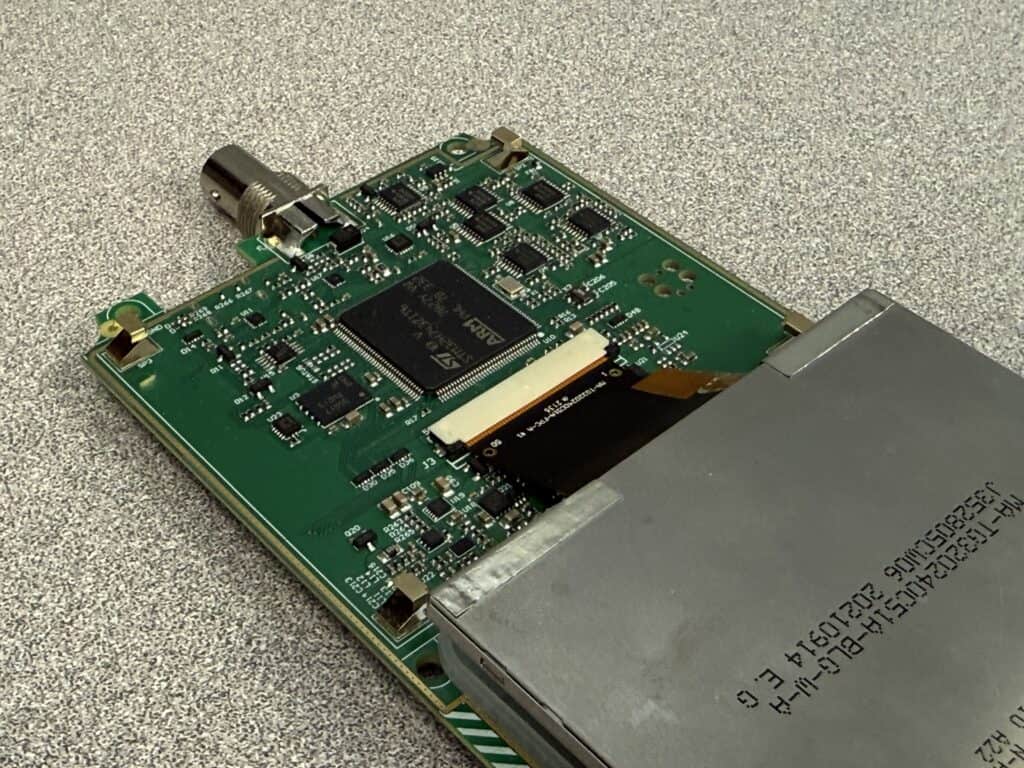
New M7-Core Microcontroller
The new GTC605 uses a (ARM M7 core) microcontroller that runs four times as fast, with eight times as much memory, able to perform math just over six times as fast as the older model. This huge improvement allows us to acquire data at a much higher sampling rate, and use more complex algorithms on it. From your perspective, you will probably notice that the tool is better at picking up smaller signals more consistently, and displaying them more accurately.
New IPS Liquid Crystal Display
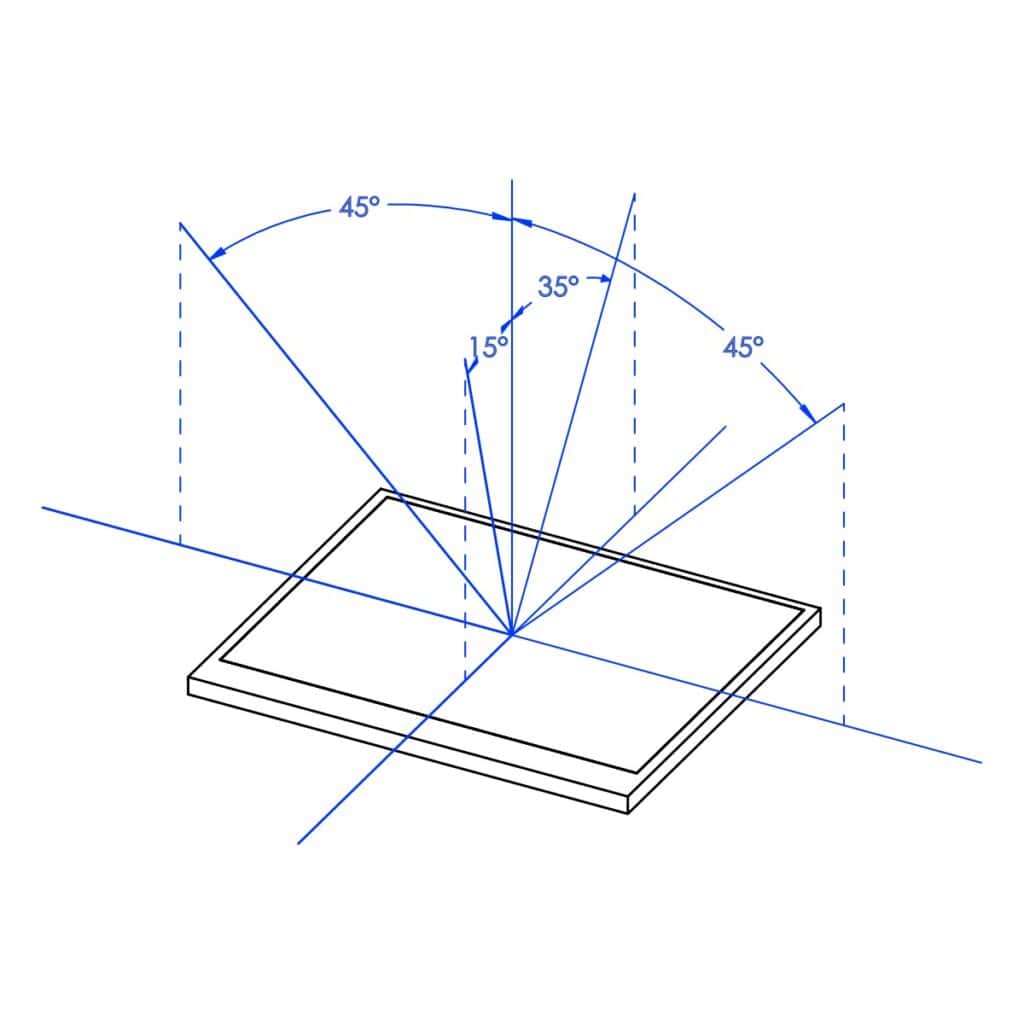
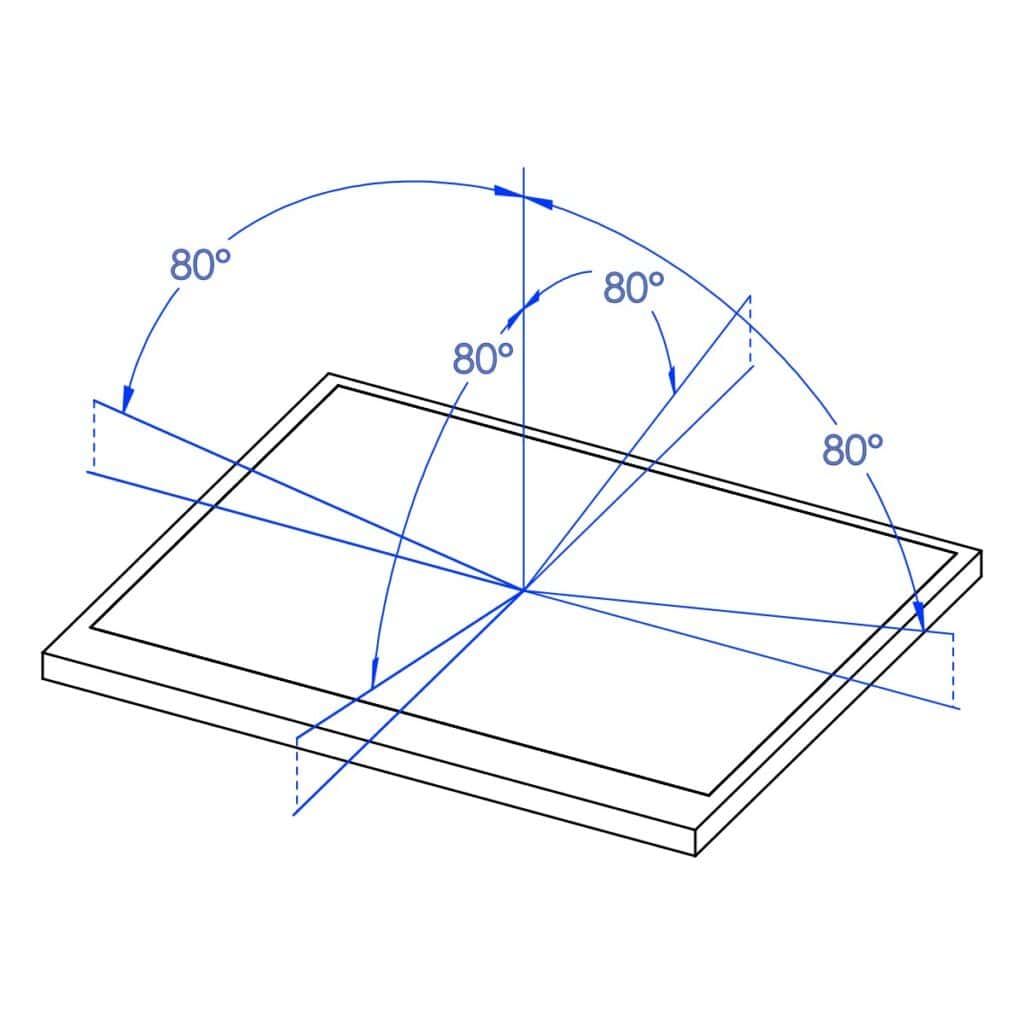
Our older model of Fuel Injection Analyzer used a 3.5″ ‘twisted nematic‘ liquid-crystal display, which offered a wide color gamut, and quick-response (along with great value), but had a limited field-of-view, meaning that it didn’t look great when you were looking at the tool from an angle. The new tool has a customized ‘in-plane switching‘ LCD with brighter colors and an almost-unlimited field-of-view, which has allowed us to use a larger variety of colors, and will allow you to use the tool in harder-to-reach spots!
Updated Multi-Language Interface
The graphical user interface (GUI) for the new GTC605 incorporates improved (clearer) icons, some additional messages to describe what the tool is doing (like updating itself), and a whole new system information ‘VIEW’ where you can select the language for the menus and messages. As of April 2026, this tool supports five different languages, and we hope to add more soon:
- English
- Portugese
- Spanish
- Ukrainian
- Japanese (coming soon)
Data Capture and Download
A 64 megabyte flash memory has been added to this tool, for use in capturing a variety of data, along with a USB-C connector for compatibility with modern computers and tablets. Every time you press the “HOLD” button, the tool will save:
- A (JPEG) screen-shot.
- A compressed data file (that you can send to us if you’re running into any trouble).
- (Usually) A comma-separated-value (spreadsheet-style CSV) file with the currently displayed data, depending on the selected “VIEW”.
These files have matching identifiers (four-digit numbers) so that you can keep track of them, and can be viewed or downloaded by simply connecting the Fuel Injection Analyzer to a computer or tablet (via USB-C cable), and opening the drive that pops up. The files themselves are useful in a variety of circumstances:
- If you’re troubleshooting a problem, and trying to figure out whether a specific tweak or part replacement actually helped.
- For instructors, fleet service managers/directors, OEMs looking to collect data for record-keeping, or instructional/educational purposes.
- When you want to track the performance of an engine over time, if you’re concerned about degradation due to wear, or other changes.
Easy-Update System
The same ‘USB drive’ functionality used for downloading data off the tool can now also be used for applying software updates. You just plug the tool in to a computer or tablet, then copy-and-paste a compact (<1MB) new firmware update file into its drive (named “GTC605_XXXX”), and then press down the “HOLD” button for about two seconds. The tool will then disconnect from the computer, apply the update, re-start, and re-connect within about two minutes.
Still Proudly Made in Canada
That’s right, this new tool is still designed, developed, tested and manufactured in Canada! We are proud to be an independent business, and committed to our community, as well as our friends South of the border.

There’s More To Come!
Thanks to our update system, we are able to send you new firmware releases via e-mail if you sign up for our product update newsletter. We are continuously adding features, improving performance, and fixing bugs on our tools, and expect to release GTC605 updates for many years to come. Your feedback is important to us, because we want the tool do help you, not just work on our test-bench, so please let us know whether or not the Fuel Injection Analyzer is doing what you want or need!